
We offer two choices of Player to display your Flows on your website.
Overlay Player
The Overlay Player floats above your existing page content, in the bottom left or right of the screen as you scroll.
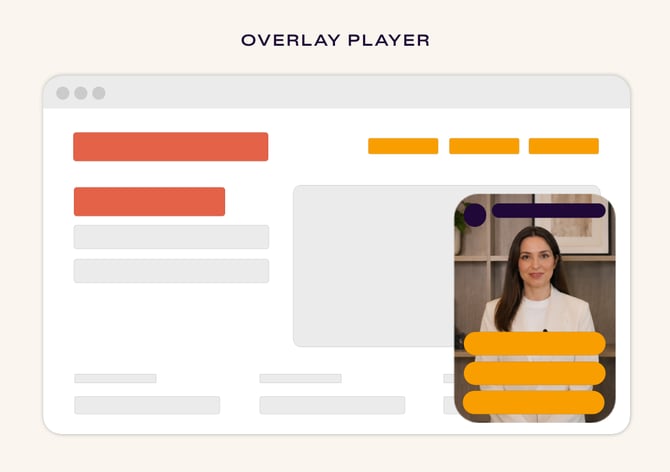
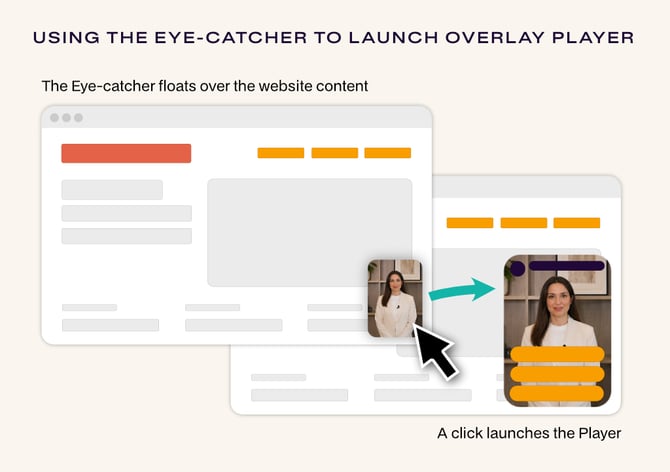
The Overlay Player can be launched using an Eye-catcher (which is in effect a small preview of the video, that floats in the space where the launched Player will appear). Alternatively you can launch the Overlay Player via links or buttons you place around your website.
Inline Player
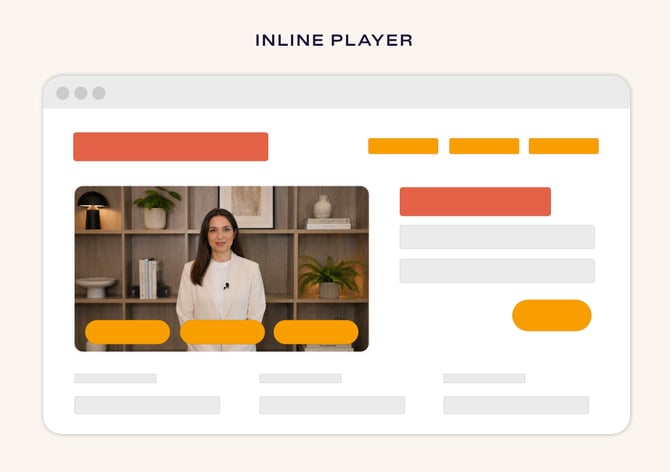
The Inline Player sits inline amongst your existing content and page elements. It doesn't need to be launched (although you can control if it auto-plays or not), so it does not have an eye-catcher.
Which Player is right for you?
Both Players display your Flows, our interactive video experiences, which you can fully customise and comprise videos and action buttons for visitors to navigate through them.
-
The Overlay Player: Best for the fastest setup. If you want to get up and running in minutes with zero configuration, this is your best bet. It sits on top of your existing site structure, requiring no layout changes. Get started using our How to Build a Flow for a step-by-step walkthrough
-
The Inline Player: Best for a seamless, integrated look. Because this player sits directly within your page content, it requires a small amount of HTML/CSS to define its container. If you’re comfortable adding a
<div>to the HTML of your website, follow our How to add and position an Inline Player for a step-by-step walkthrough.