
How to switch between your Workspaces
-
Open the sidebar menu from any page in your ReelFlow dashboard
-
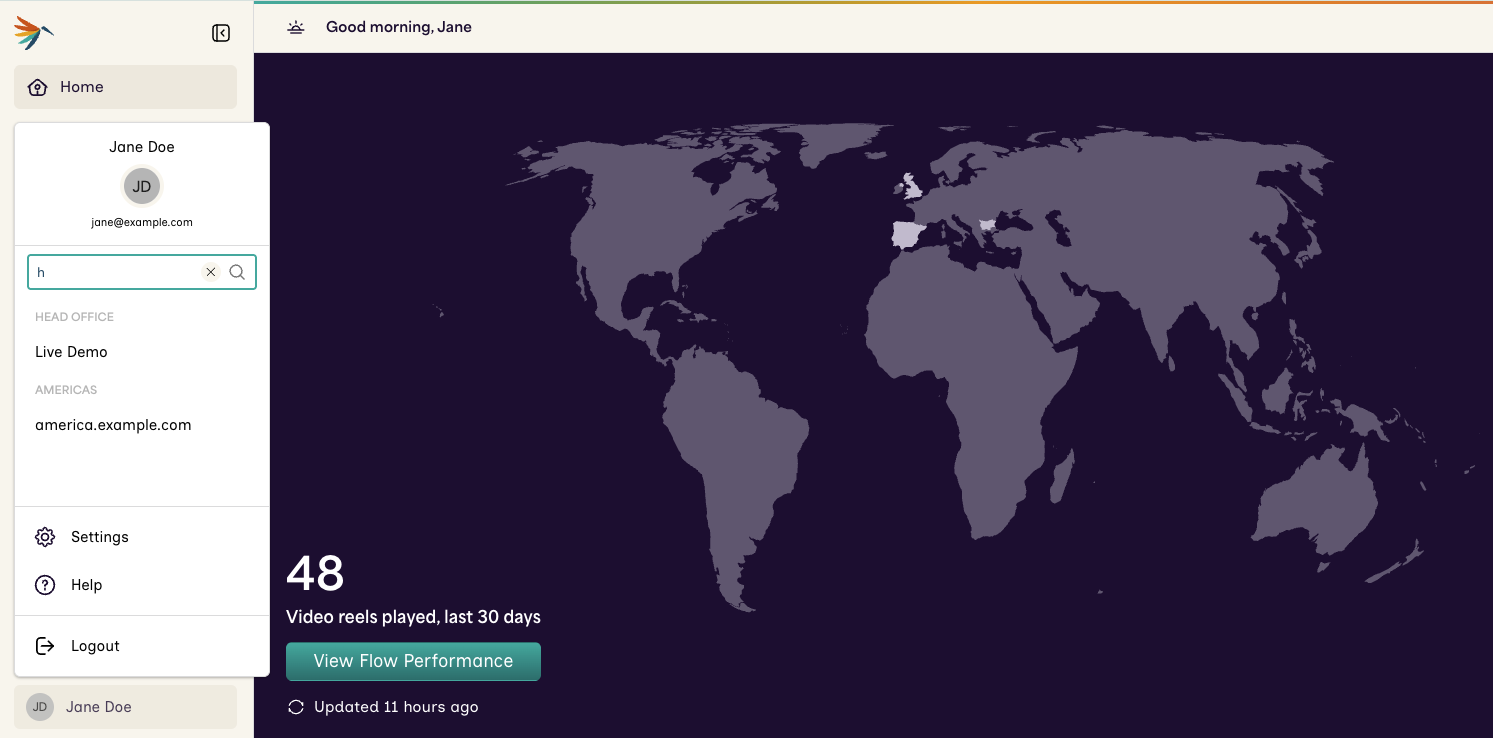
Locate you name at the bottom of the sidebar menu, and click on it to open the Workspace Switcher
-
The Organizations and Workspaces you have access to are listed here. Select one to immediately change Workspaces. If you are a user in many Workspaces, there will be a search option.
-
Your most recent Workspace selection will be used when you next login.
Note: If you are using Video Stand-ins, these will be visible to you in all your Workspaces