
How to change your password
- Login to the Dashboard
- Go to ↗️ Settings > My Profile
- Locate the Password section, and follow the instructions
If you cannot access your user account due to a lost or password not working, follow these instructions to reset your password:
I have forgotten my password
You can reset a forgotten password from the login screen.
- Visit ↗️ app.reelflow.com, and select Forgotten password?
- Follow the instructions on screen.
- You will receive an email from app@reelflow.com
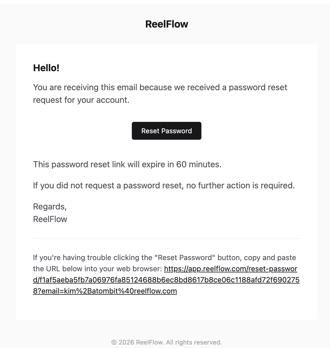
4. Click the link and reset your password.
If you are still having trouble getting access to your user account, please contact us:
Get help with logging-in or verifying your email
If you still haven’t received your password reset or email verification email, please ensure you have waited a few minutes to allow for any delays to emails arriving. Also, please check your email junk folder. If you still are unable to find the relevant email, please reach out to us using the details here: